Page Tiles - Split & Print
Print something bigger than your printer. Page Tiles splits one image or PDF page across as many ordinary sheets as it takes, with the overlap and marks you need to line them up again.
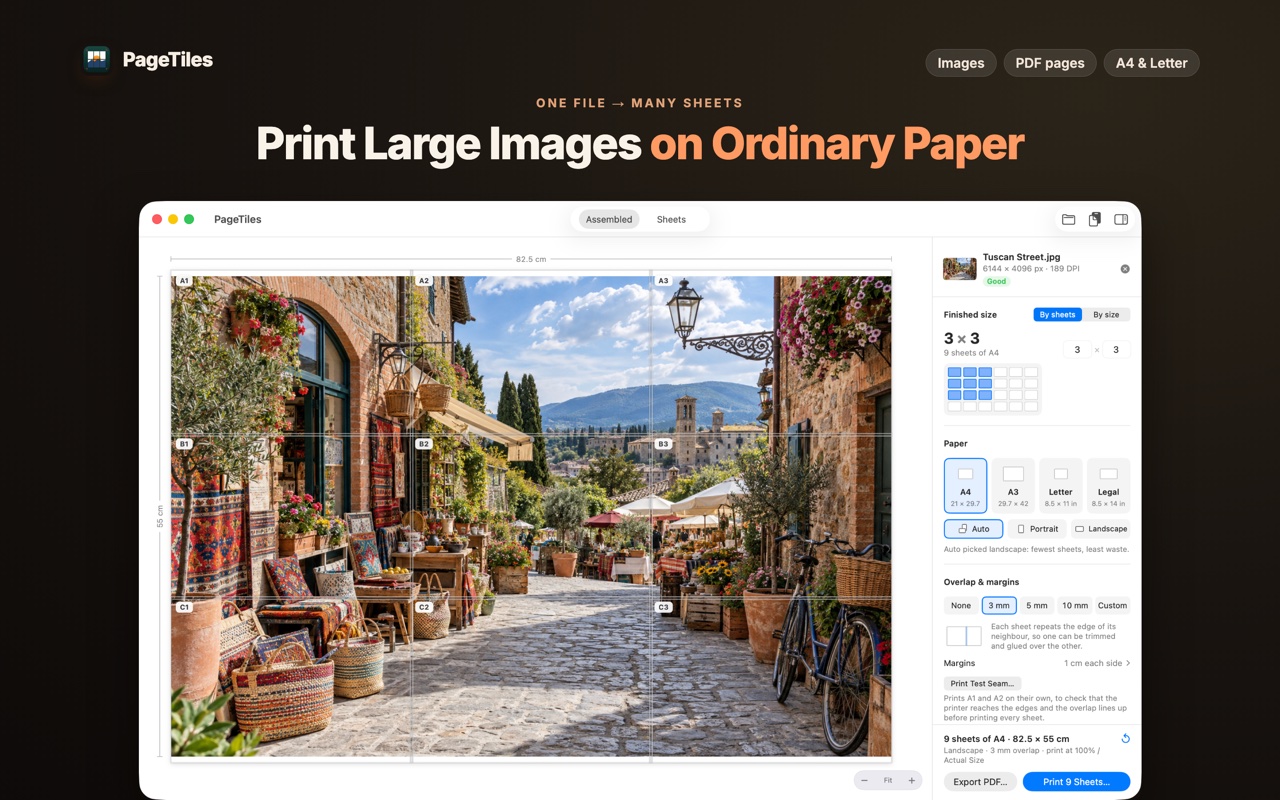
Say how big, not how many
Give it the finished size — 82.5 cm wide, or a 3 × 3 grid of sheets — and Page Tiles works out the rest: paper size, orientation, sheet count, and where every cut falls. Millimeters, centimeters or inches.
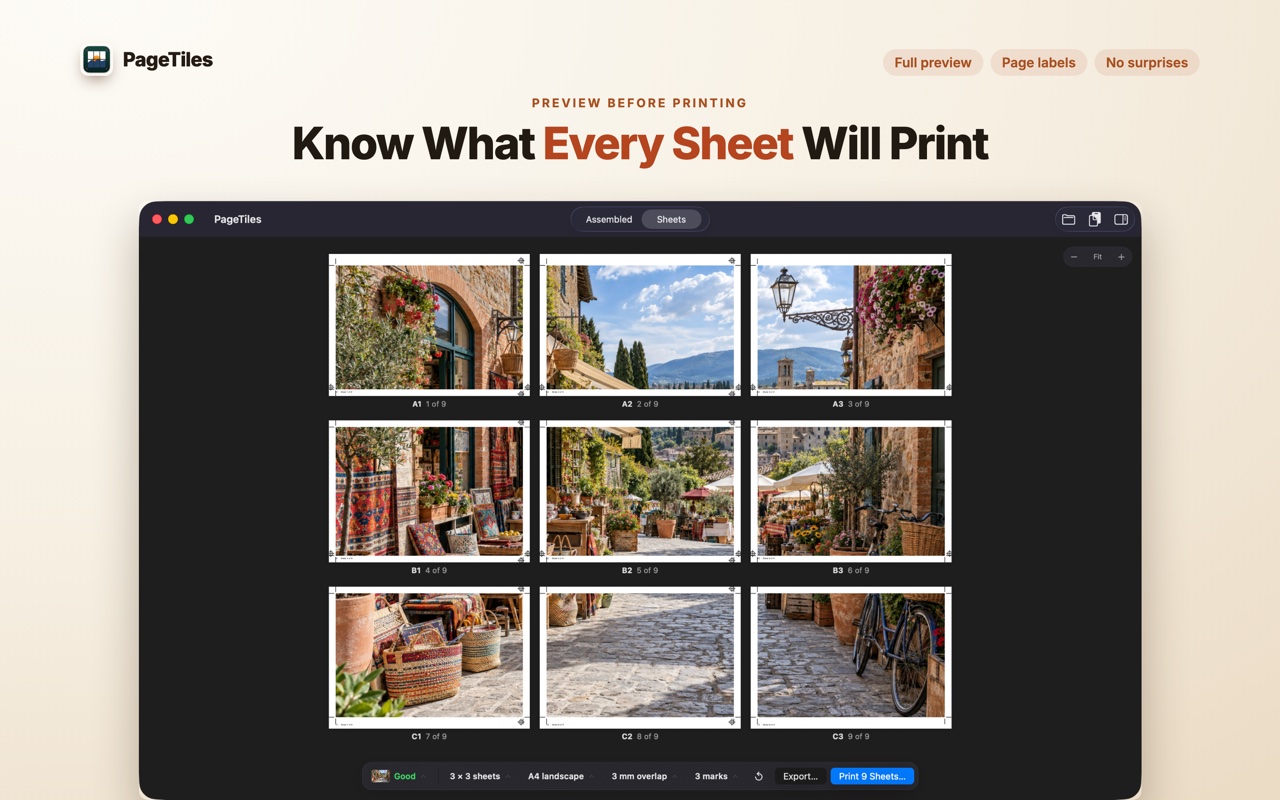
See every sheet before you spend paper
The preview is the print: tiled layout, page order, overlap, marks, and the sheet count, all before anything reaches the printer. There’s a test seam too — just the first two sheets, to confirm your printer reaches the edges and the overlap lines up.
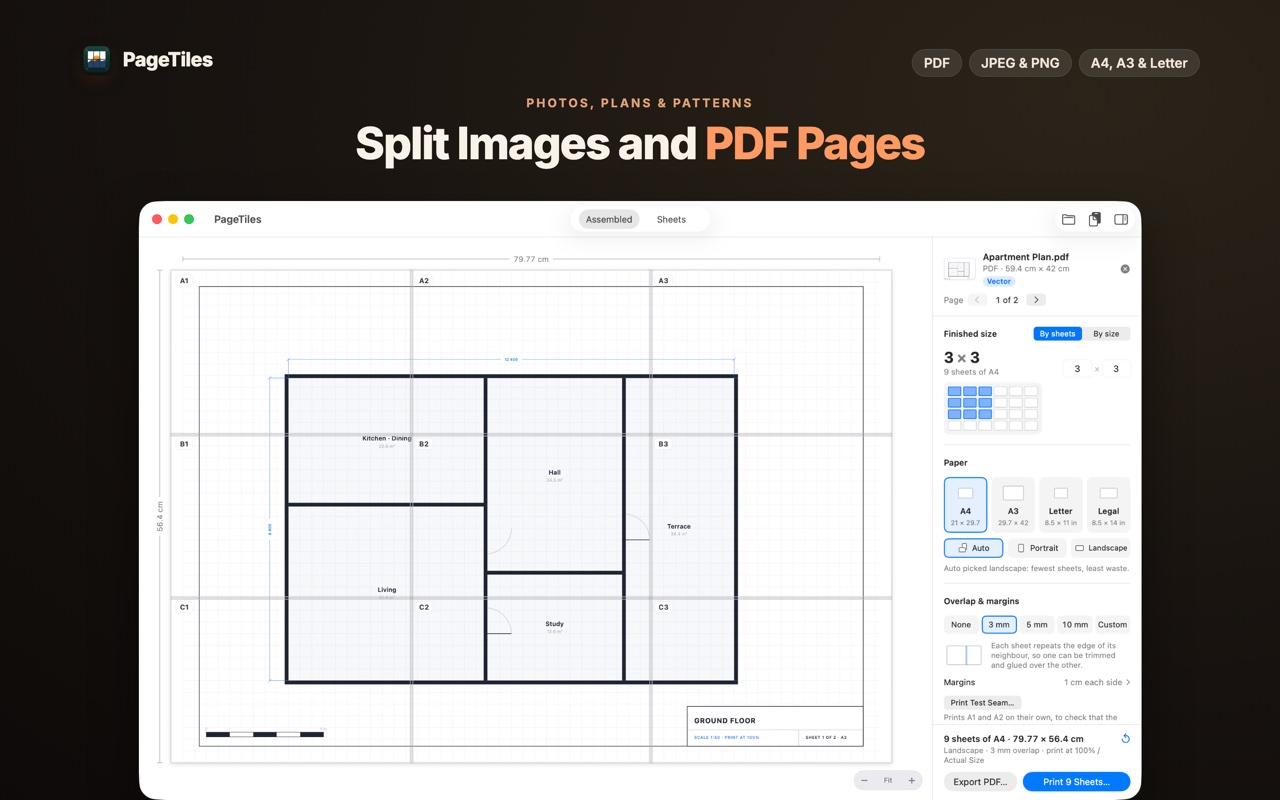
Images or PDF pages
Open a photo, a drawing, a scan, or one page of a multi-page PDF, and print it onto A4, A3, Letter, Legal or another standard size. Portrait or landscape is picked for you, for the fewest sheets.
Assembly you can follow
Overlap of 3, 5 or 10 mm — or none, or your own. Cut marks, alignment marks, page numbers, row and column labels. Each one optional, so a quick print stays clean and a nine-sheet poster stays organized.
Made for
- Posters and signs
- Sewing and craft patterns
- Blueprints, plans and diagrams
- Model templates
- Classroom material
Prints through macOS
Page Tiles builds a normal multi-page PDF and hands it to the standard macOS print panel. No drivers to install, no printer account, no service in between.
Private by design
- Runs entirely on your Mac. Nothing is uploaded, and there is no account to make.
- Your file is only read. The tiled PDF is written where you choose; the original is never modified.
- No subscription — a one-time purchase.
Requirements
macOS 12.4 or later. Universal — Apple silicon and Intel.
Questions? Contact support.