MediaProbe
See what's actually inside a video or audio file. MediaProbe turns dense container and stream metadata into a plain Mac-native inspector: open one file for a quick answer, drop a batch to work through, or line several up and compare them.
Coming soon In App Store review — the download link lands here once it's approved.
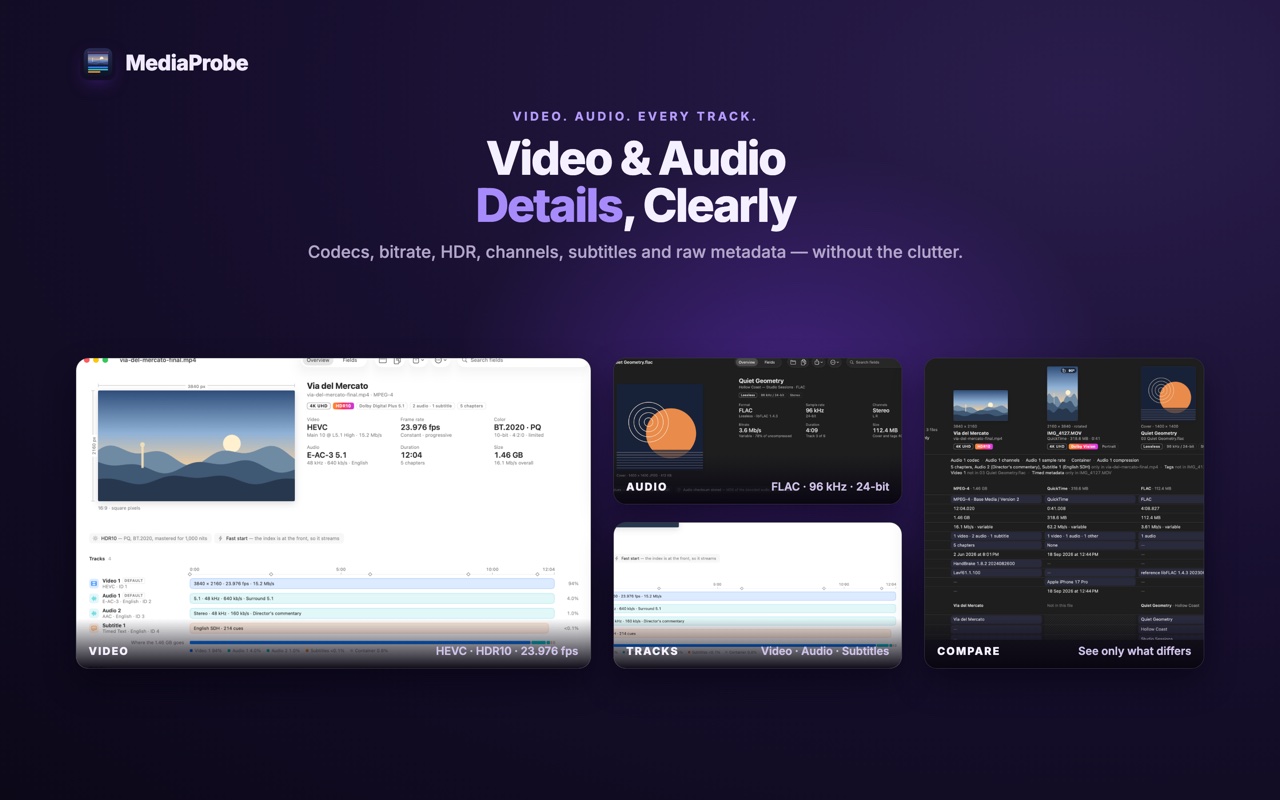
The details you came for, first
Container, duration, file size and overall bitrate up top. Then video codec, profile, dimensions, aspect ratio, frame rate and bitrate; HDR format, bit depth, color space, chroma, primaries, transfer and matrix; audio codec, sample rate, channels, channel layout and bit depth. Tracks list their IDs, titles, languages, durations and default or forced flags.
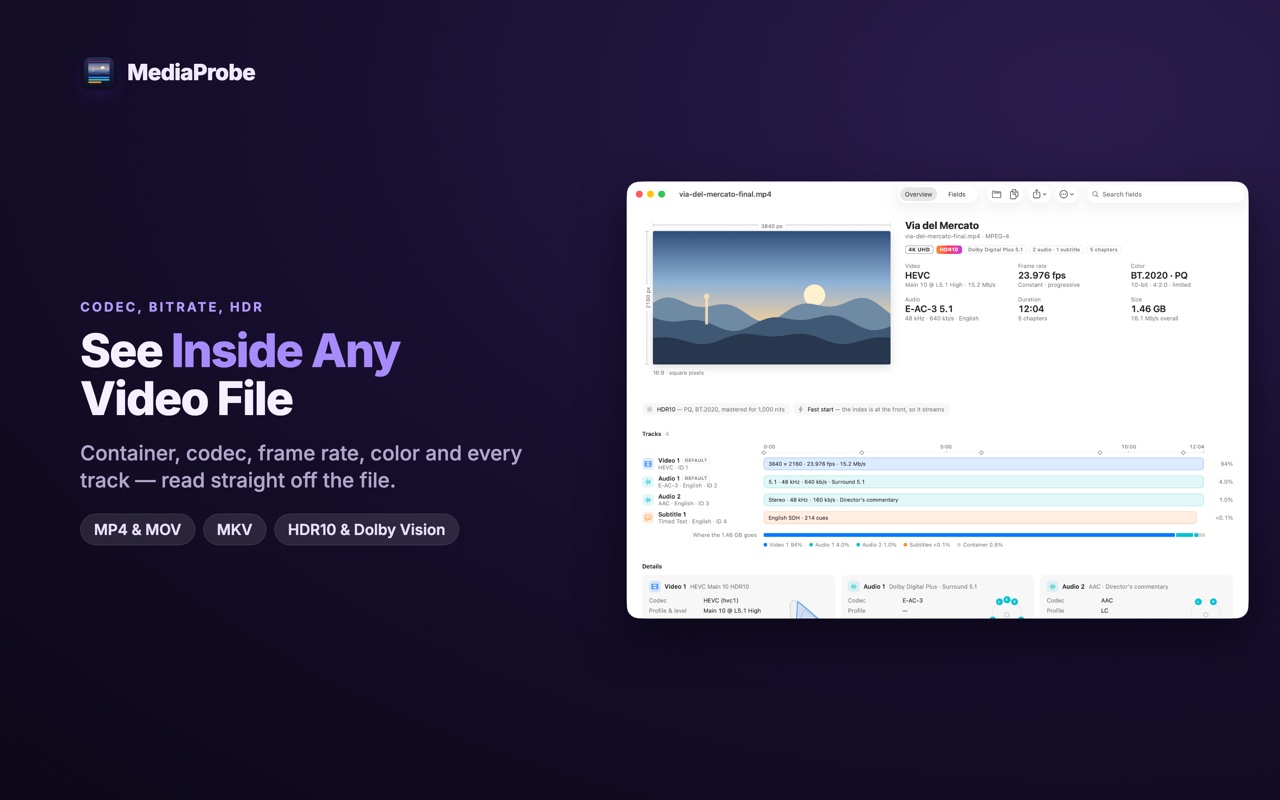
Complete when you need it
Start with the readable summary, expand a single stream, or search every field in the file. Raw metadata stays one click away for unusual formats and professional workflows — nothing is hidden behind a friendlier view.
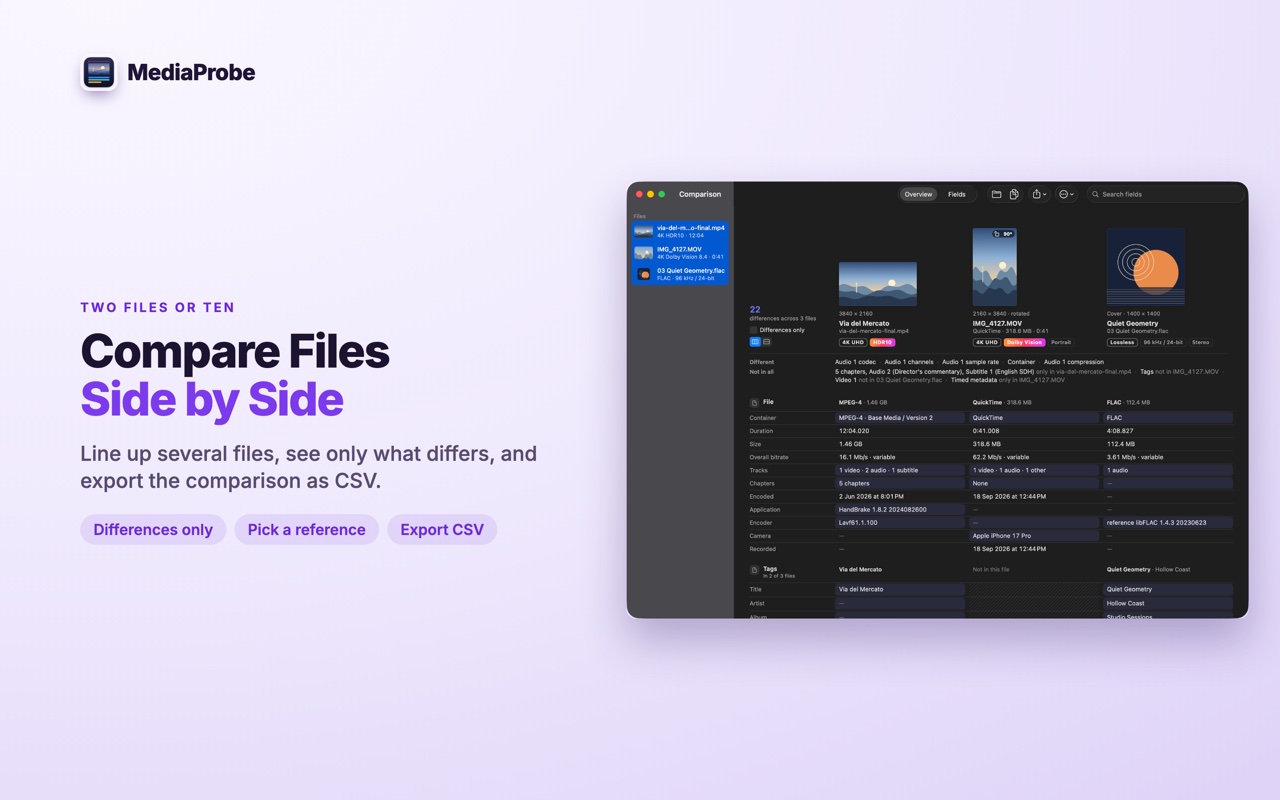
Compare two files, or ten
Line files up side by side, show only the fields that differ, and pick one as the reference. Useful when a render came out wrong, an export doesn’t match its source, or a delivery spec has to be proved. The comparison exports as CSV.
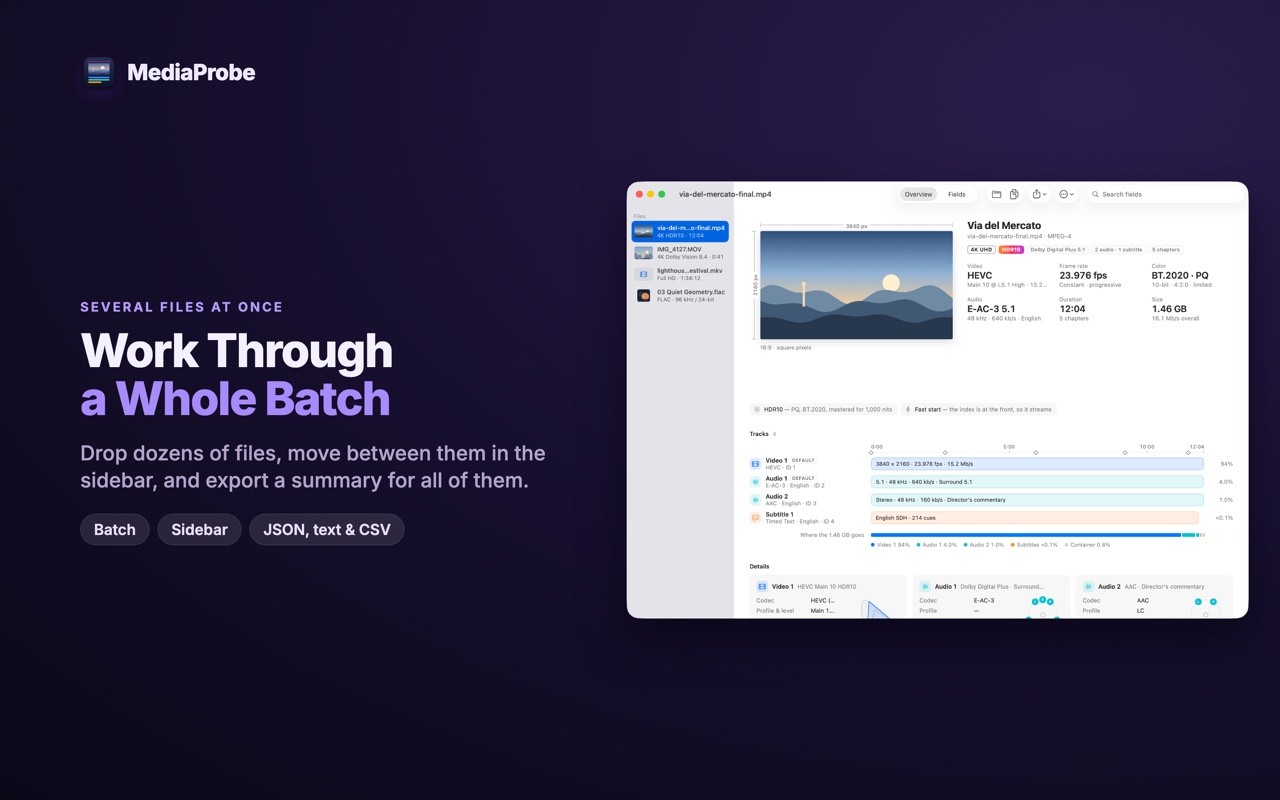
Work through a whole batch
Drop a folder’s worth of files and move through them in the sidebar. Copy a single value, a whole section, or the entire report; export structured JSON, a readable text report, or a CSV summary across the batch.
Private by design
- Nothing leaves your Mac. MediaProbe ships without the network entitlement, so it cannot connect anywhere at all.
- Read-only. It reads your media to describe it and never edits it. Reports you export go where you choose.
- No account, no codecs to install, and no system extensions.
Requirements
macOS 12 or later. Universal — Apple silicon and Intel.
Questions? Contact support.