Longform Writer
Longform Writer is a Mac app for long documents, built for a thesis first. Citations format as you type, footnotes and maths sit on the page, and your supervisor gets a proper Word file — whose tracked changes come straight back into your text.
Coming soon In App Store review — the download link lands here once it's approved.
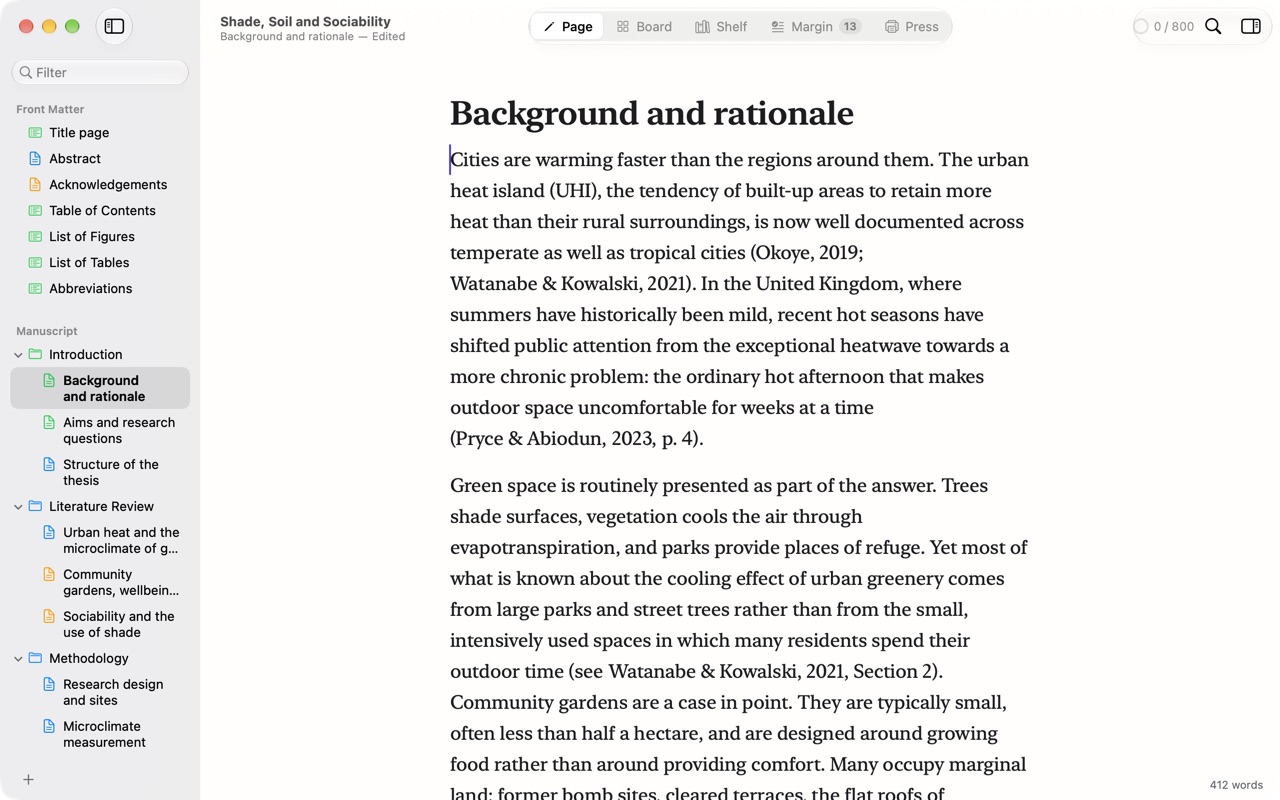
A page, not a page of markup
Underneath it’s plain Markdown, but you write on a page: headings, emphasis, citations as (Okoye, 2019), footnote numbers and maths, set in New York. Markup shows only where your cursor is, and gets out of the way when you move on.
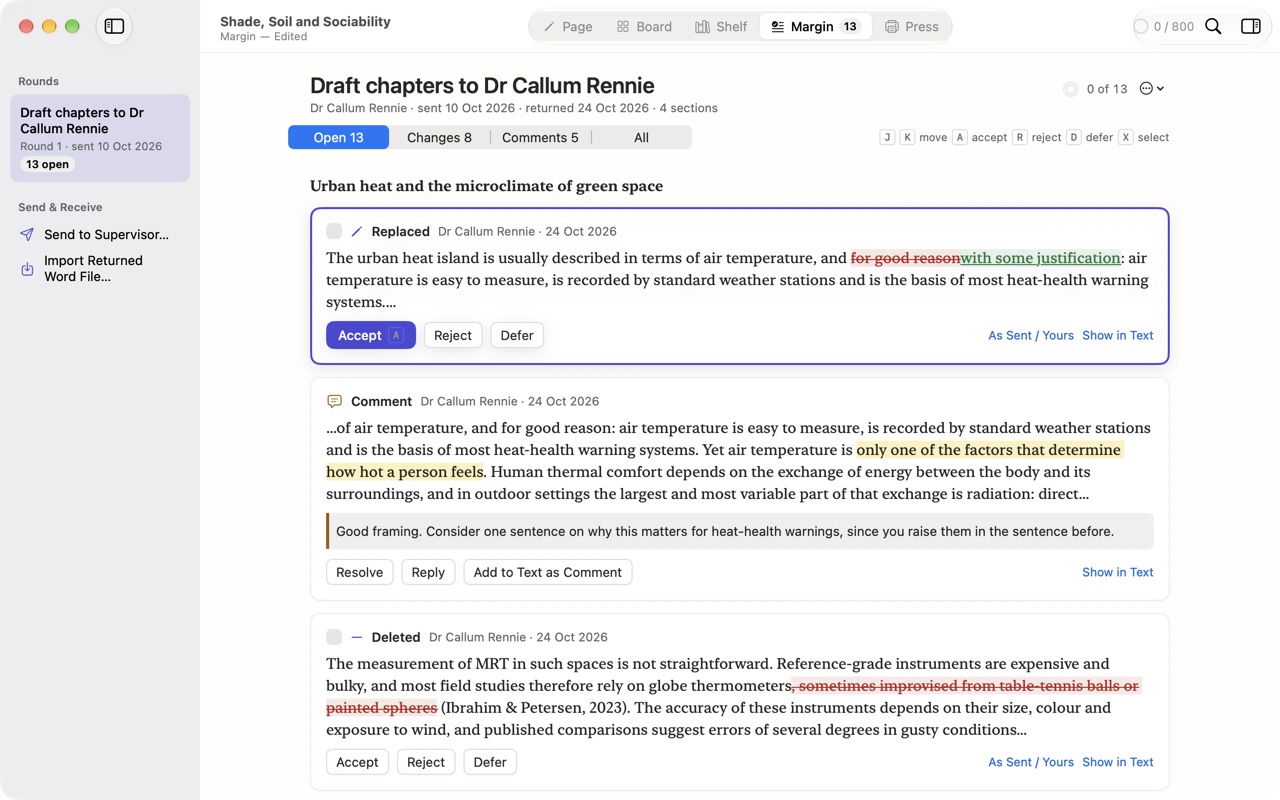
Your supervisor stays in Word
Send to Supervisor makes a Word document with real styles, footnotes, a table of contents and page numbers. When it comes back with tracked changes and comments, Margin lays out every one in its paragraph: accept, reject or defer each with a key, see it in your text, compare what you sent with what you have now, or undo a whole round.
Citations that keep up
The Shelf holds your sources. Import BibTeX, RIS or CSL JSON, or look up a DOI or ISBN. Cite with a key, and pick a style: APA, Harvard, Chicago (author–date or notes), MLA, IEEE or Vancouver. Note styles number themselves across the whole book, and a citation that isn’t on the Shelf is flagged before you send anything.
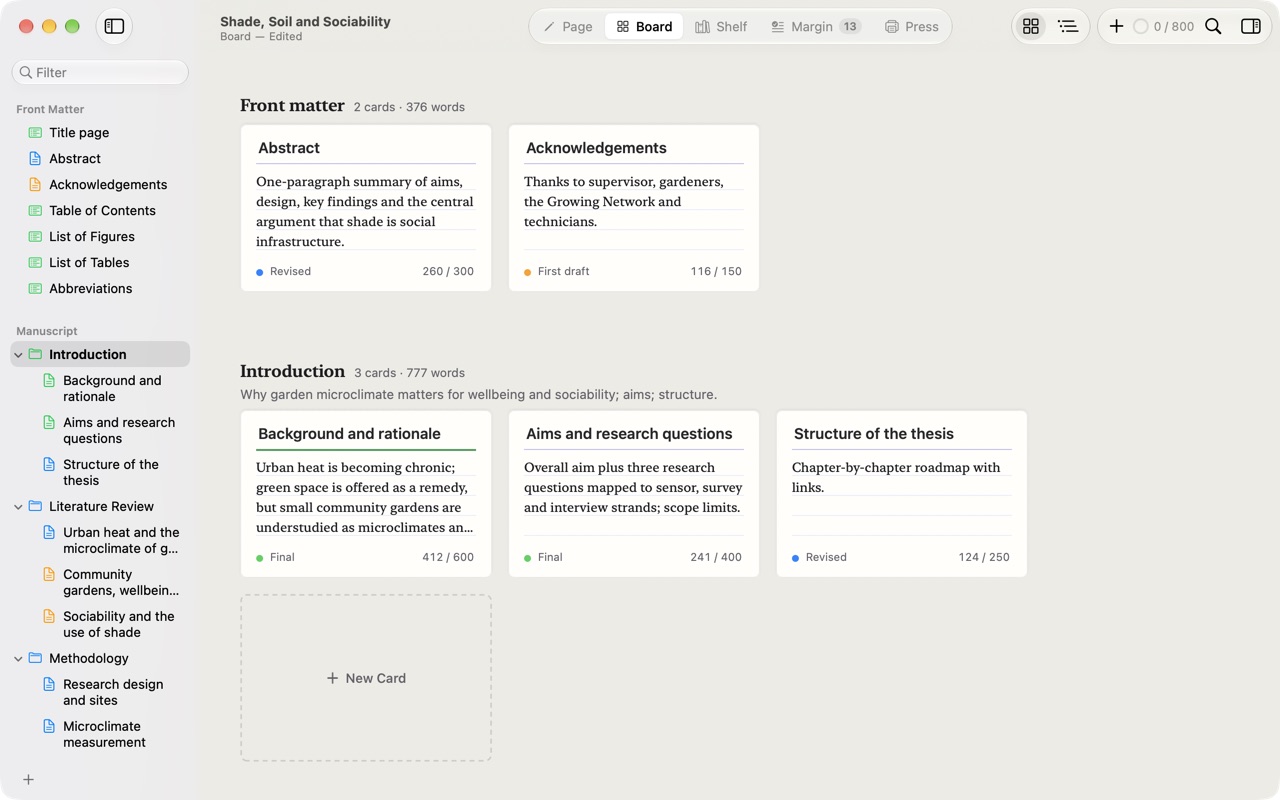
See the whole shape
Board shows every section as a card under its chapter, with its status and its words against a target. Drag a card to move the section, or switch to the outline to change titles, synopses, status and targets row by row.
Out in every form
Press makes the Word file for your supervisor, a PDF for reading, the PDF you submit, a project archive, Markdown and plain text — from the same text, without copying it anywhere.
Your words, your Mac
- Plain files. A project is a
.longformpackage of Markdown files, readable in any text editor. - No account, no analytics, no subscription.
- Online only when you ask. Looking up a DOI or ISBN sends that identifier and nothing else. See the Privacy Policy.
Requirements
macOS 12 or later. Universal — Apple silicon and Intel.
Questions? Contact support.